🔊 Designing Non-Visual Interaction Cues
Designing Non-Visual Interaction Cues for Accessibility-Critical Systems
Role: Experience Design
Scope: Problem definition · Interaction logic · Accessibility · Cognitive load reduction
Project Overview
This project explores how non-visual interaction cues can communicate urgency and priority when visual attention is limited or unavailable.
Rather than treating audio as a background alert, the experience reframes sound as an intentional interaction mechanism that adapts to context, cognitive load, and accessibility needs. The system demonstrates how audio-based feedback can support attention management and decision-making in non-visual environments.
Problem Context
In many real-world situations—such as mobility, multitasking, or accessibility-constrained environments—users cannot rely on visual information alone.
Traditional notification systems often present multiple competing alerts without clearly communicating urgency or priority. This can lead to missed critical information or cognitive overload as users struggle to interpret overlapping signals.
Users need non-visual interaction cues that communicate meaning, priority, and system state clearly through audio alone.
Design Goal
The goal was to design interaction cues that allow users to recognize urgency and priority using audio-only feedback across different contextual situations.
The focus was on reducing cognitive load while maintaining clarity, predictability, and accessibility in attention-constrained environments.
Interaction & Feedback Strategy
The experience was designed using the following interaction strategies:
Context-aware audio behaviors that adapt based on situational demands
Priority-based interruption and queuing to differentiate urgent and non-urgent events
Simplified sound design in high cognitive-load contexts
Audio filtering strategies to minimize distraction while preserving meaning
Different contexts (e.g., walking, presenting) intentionally alter how audio feedback is delivered, reinforcing that interaction cues must adapt to the user’s cognitive state and environment.
Interaction Flow in Practice
Intended User Outcome
Users are able to distinguish urgency and priority using audio-only cues without relying on visual indicators.
Core User Interaction
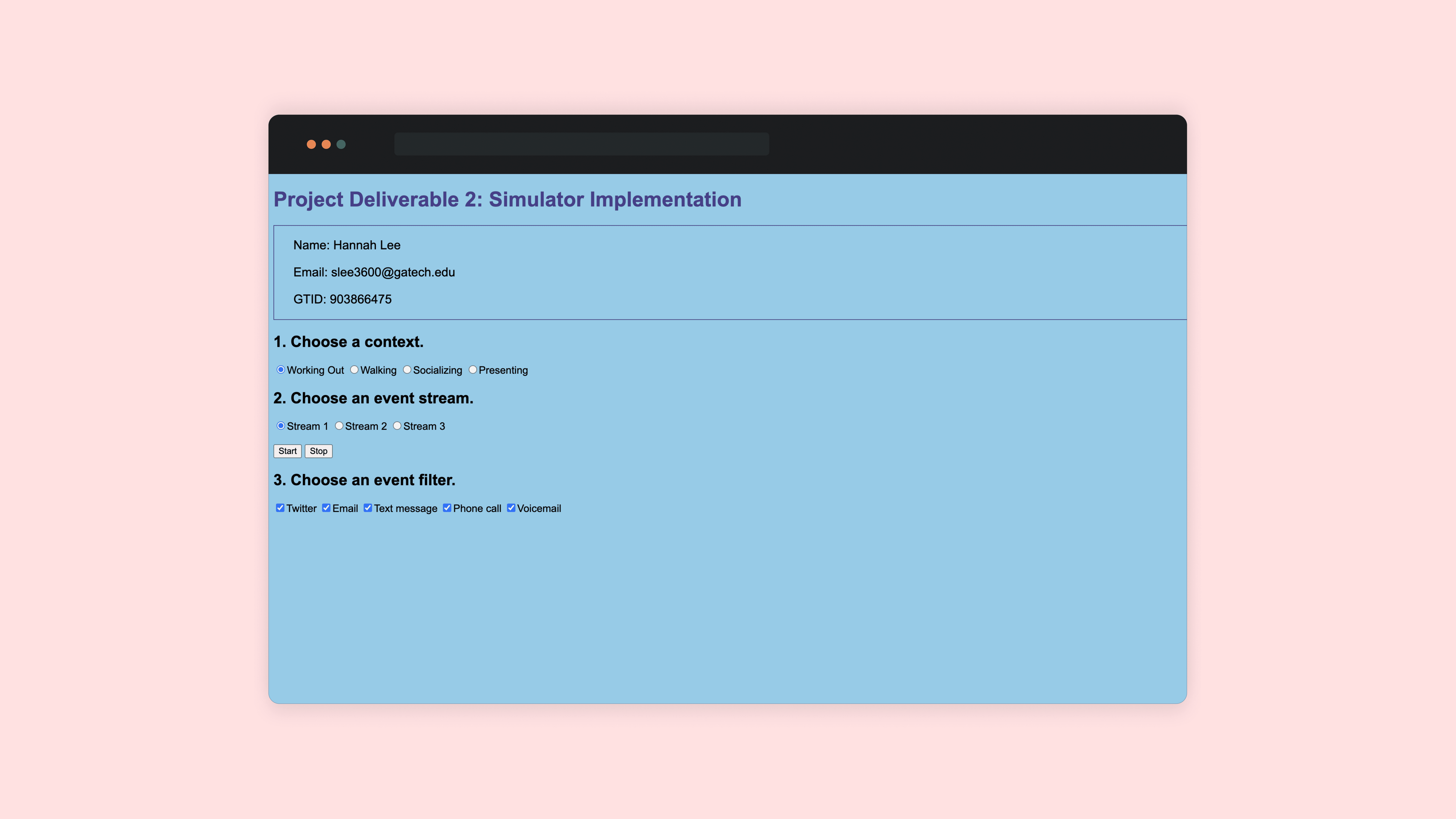
Users select a context and initiate a simulation. As events occur, audio feedback dynamically changes based on event priority and situational constraints.
System Feedback Behavior
High-priority events interrupt ongoing audio, while lower-priority events are delayed or filtered. In high cognitive-load contexts, audio feedback is simplified to support focus and reduce distraction.
User Awareness & Interpretation
Reflection prompts encourage users to consider how different audio patterns influenced their perception of urgency and system state.
Design Artifacts & Prototype
The prototype allows users to experience how the same event stream is communicated differently through audio cues depending on context.
The demo highlights how audio-based interaction cues adapt to cognitive load and convey priority without relying on visual indicators.
Key behaviors to observe:
High-priority events interrupt ongoing audio, while low-priority events are queued
Audio feedback is simplified in high cognitive-load contexts
Identical events feel meaningfully different depending on situational context
Audio is central to this experience, with key priority changes also described through captions to support accessibility.
Design Impact & Takeaways
This project demonstrates how intentional audio design can function as a primary interaction channel rather than a secondary alert.
By designing non-visual interaction cues that adapt to context and cognitive load, the system supports accessibility, clarity, and user trust—an approach applicable to domains such as assistive technology, mobility, safety systems, and enterprise tools where visual attention cannot be assumed.
The same event stream is demonstrated under different contextual conditions.